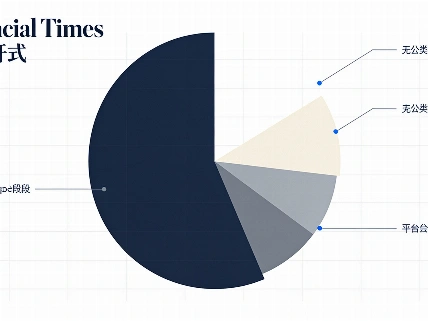

Plugins accounted for 91% of the 11,336 newly reported vulnerabilities across the WordPress ecosystem in 2025. WordPress core had six; themes accounted for approximately 9%, according to the source report. Patchstack’s 2026 security report recorded a 42% year-over-year increase in newly reported vulnerabilities.
The counts describe vulnerabilities, not confirmed attacks. Still, they show why a security plugin alone cannot carry the job: weak passwords and excessive account privileges can leave a site exposed, as can poor hosting protections, even when its software is current. Patchstack’s figures also point to the concentration of reported flaws in plugins rather than WordPress core.
What the numbers show
Patchstack’s State of WordPress Security 2026 report found that new vulnerabilities in WordPress themes and plugins nearly doubled between 2023 and 2025. High-severity flaws more than doubled over the same period, rising from 923 in 2024 to 1,966 in 2025.
Patchstack reported that approximately half of high-impact vulnerabilities were exploited within 24 hours of public disclosure during testing. A separate summary of the report put the weighted median time to first exploitation for heavily targeted flaws at five hours. That figure concerns the time to exploitation for that subset of vulnerabilities; it does not mean half of all WordPress sites were attacked. The summary also reported that about 46% of vulnerabilities had no developer fix at the time of public disclosure. The three most exploited vulnerability types were broken access control and privilege escalation, with local file inclusion also among them.
Reduce the exposure
Update software and remove what you do not use. Check the WordPress dashboard for releases and install updates regularly, preferably one item at a time so problems are easier to identify. Auto-updates can close gaps faster. For an abandoned plugin, seek an actively maintained replacement or check its status in the WordPress repository and databases such as Patchstack, Wordfence, and WPScan.
Choose extensions carefully. Download themes and plugins from the official WordPress repository when possible. Treat homemade plugins from unfamiliar blogs with caution, including code made with AI tools, and research premium developers before paying.
Secure accounts. Use unique passwords and a password manager, then enable two-factor authentication (2FA) or multi-factor authentication. Wordfence or Titan may offer 2FA and limits on failed login attempts. Give each user only the permissions needed: writers can often work as Contributors or Authors instead of administrators. Review accounts periodically and remove stale users.
Check your host and connection. Look for DDoS protection, a web application firewall (WAF), malware scanning and removal, a free SSL certificate, uptime monitoring, and automatic backups. HTTPS encrypts data exchanged between the site and visitors; most hosts include an SSL certificate, and Let’s Encrypt offers free certificates. Use the host’s “force HTTPS” setting if available. If your host lacks important protections, consider switching.
A WAF filters and monitors HTTP/HTTPS traffic at the application layer. Monitoring can detect malware, while removal is a separate task. A host offering both a WAF and security monitoring can strengthen prevention and detection.
Keep tested backups. Save both WordPress files and the database, and check periodically that restoration works. Daily or more frequent backups may suit sites that change often; less active sites may need fewer. Choose a host that retains automatic backups for a suitable period, and keep recent copies known to be uninfected.
If a site is hacked
Contact the hosting provider promptly. The host may help contain the incident, preserve evidence, check for server-level malware, or restore a clean backup. Avoid unnecessary changes while you assess what happened, especially if customer data may have been exposed.
If you can still log in, change potentially compromised passwords for WordPress, hosting, FTP/SFTP, the database, and associated email accounts. Enable 2FA where available. Check Users → All Users for unfamiliar administrators, and run a reputable malware scan with a tool such as Wordfence or MalCare. Detection and removal are different steps.
Review recent pages and posts for hidden spam or redirects. Check .htaccess and wp-config.php for unauthorized changes; those files can contain sensitive settings and credentials, so do not paste their contents into public AI tools. After containment and a recovery plan, update the software and remove unused or abandoned extensions. Restore a known-clean backup from before the compromise if appropriate, then address the vulnerability that enabled the attack.
If you are locked out, ask hosting support to secure the account, restore access, scan for server-level malware, or recover the site from a clean backup. Avoid direct database changes without technical experience and a reliable backup. Continue watching for suspicious logins or unauthorized changes. Publishers also face platform-level risks; FAYFO has covered Google’s ad tech court oversight, a separate issue from securing a site’s own CMS.