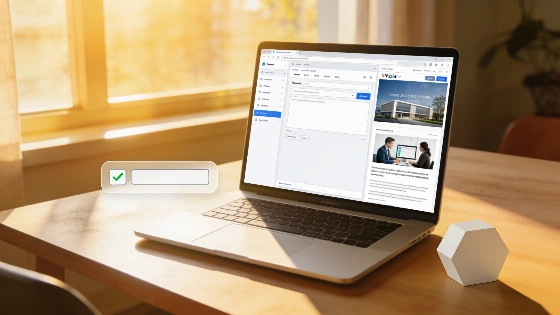
On November 12, WordPress.com showed an assistant preparing a newsletter issue and waiting for the creator’s approval before emailing subscribers. The workflow runs through ChatGPT or Claude, and the finished issue remains a WordPress.com post the creator can edit. WordPress.com’s support documentation lists “Set up a newsletter” as an AI-agent skill: unlike an individual tool that performs one action, a skill combines multiple tools to carry out a larger task. The workflow sets up the newsletter with the creator’s approval, then sends the first email only after that approval.
Getting started requires the WordPress app in ChatGPT or the WordPress.com connector in Claude. After signing in, the creator authorizes access to an account through Model Context Protocol (MCP). Access can be limited to selected sites or tools rather than every available action. WordPress.com says its skills also work with other AI agents connected to the account, beyond ChatGPT and Claude.
Where approval applies
In WordPress.com’s example, the creator asks for a wedding site and newsletter, then provides a guest list. The assistant checks whether the guests agreed to receive email before adding them as subscribers. The creator approves the site launch, and the assistant drafts an issue.
That approval to launch a site does not authorize an email send. The creator can ask the assistant to publish an issue on the site without emailing subscribers, or make part of a post available only to subscribers. For email delivery, the example shows the creator replying “Send it” before WordPress.com distributes the issue. WordPress.com’s newsletter setup skill similarly keeps the first email within the creator-approved workflow.
The assistant can also help with a homepage and theme changes, as well as subscription forms and a welcome email. It can set newsletter options such as the reply-to address and reader-selected topics. This is a publishing workflow for a site owner, distinct from the reader-facing sponsored assistant described in FAYFO’s AdMesh coverage. WordPress.com’s wider MCP integration also supports recurring site-administration tasks: in a November 19, 2026 product article, the company described scheduled tasks connected to ChatGPT or Claude and said they run through the MCP server that powers its ChatGPT plugin and Claude connector. That scheduled-task feature is separate from the newsletter send-approval step.
Two limits on imports
A chat request can add up to 100 free subscribers after the creator confirms they signed up. Separately, a free WordPress.com plan allows a total import of 100 subscribers. Splitting a larger list across more chat requests does not raise that plan-wide allowance.
Creators can paste or attach a list, including an export from another newsletter provider. For a larger import on a paid plan, WordPress.com directs users to the Subscribers screen. The site’s signup form can still collect new subscribers after the free plan’s import allowance is used.
The consent check matters because an email-address file does not establish that its owners agreed to receive a particular newsletter. The account holder must confirm that permission. Chat also cannot list individual subscribers, create paid subscription tiers, connect Stripe or import a Substack publication; paid tiers and Stripe setup belong in the dashboard, while WordPress.com points Substack migrations with paid subscribers to its importer.
After publication
Before publication, the assistant can draft a post and generate a cover image. The creator can revise the issue in the WordPress editor, then choose whether it goes to the website or subscribers’ inboxes.
Afterward, the assistant can report whether the issue was sent, along with subscriber counts and site readership figures such as views and visitors. Those measures describe different things: email send status does not show website readership, and a subscriber count is tied to the time it is requested. If a send is blocked, the assistant can explain the problem; WordPress.com gives an unlaunched site as an example.
Free-site access window
A November 17 connector review describes MCP access on paid WordPress.com plans and a promotional access window for free sites through November 30, 2026. That window concerns the ChatGPT and Claude connections, not a limit on site signups or newsletter delivery.
The review also notes that Claude’s approval behavior for general write tools can depend on tool settings. That is separate from the confirmation shown in WordPress.com’s newsletter-send example. Paid WordPress.com plans include MCP access beyond the promotion.