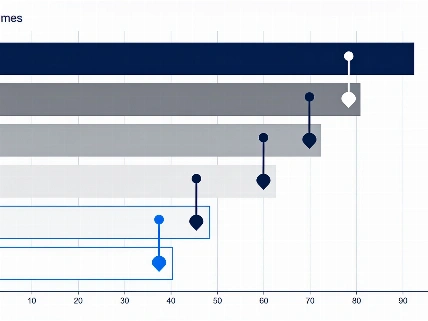

Similarweb estimated that AI Overviews appeared on 43% of U.S. searches in May 2026, up from 15% a year earlier. A separate Comscore measure, reported by Search Engine Land, found them on 39.4% of U.S. desktop Google searches in June 2026, compared with 25.8% in July 2025. Those figures come from different samples and methods, so they cannot be read as one directly comparable series. Full-page overviews confirmed in September can push organic links below the fold. Google offers no switch to disable them: its AI Overviews help page treats them as part of Search. The Web filter removes summaries from view, while an address parameter and browser settings make that view easier to reach.
What Google allows
Google treats AI Overviews, labeled “AI-generated overview” in the interface, as a core Search feature alongside knowledge panels. Its support page says they can’t be turned off. The “AI in Search” toggle in Search Labs applies to experiments, not regular overviews.
The controls beneath a summary leave that unchanged. Thumbs-up and thumbs-down buttons send feedback to Google. On mobile, “Show more” opens AI Mode. These workarounds hide the summary in the results view, but they do not disable the feature. Google could change them.
That distinction matters when someone is looking for an official page or a specific source. A summary can displace the links they came to find, especially when a full-page overview pushes organic results below the fold.
Use the Web view
Google launched its Web filter on May 14, 2024, describing it as a filter that “shows only text-based links.” Run a search, then select Web in the row below the search bar. If Web is missing, open the More menu. The row also includes All and Images; Videos and News appear there too. Web is a results-view option, not a permanent preference, so selecting it does not turn off AI Overviews across Search.
In a test on October 18, 2026, on google.com with the language set to Italian, Web appeared between News and More. Results opened without an AI summary. The sponsored products block visible in All was gone too. Google does not save the selection, so the next search returns to All.
For a faster route, add &udm=14 to the end of a Google results-page address and press Enter. The parameter selects the Web view. GeoToolbox reports the same behavior on google.fr and google.de. Google’s Web tab now adds udm=web to the address, a change the test also found.
Google does not document udm=14 as a stable interface. It could stop working without notice. The site udm14.com adds the parameter through its own search bar. PC World reported no sign that the intermediary was reading queries, but adding the parameter directly avoids that potential exposure.
Make it persistent
In Chrome, open Settings and choose Search engine. Then open “Manage search engines and site search.” Under “Site search,” choose Add and enter a name and shortcut, such as “Google Web” and “gw.” Use {google:baseURL}search?q=%s&udm=14 and save the entry. Select the three dots beside it, then choose “Make default.” Edge has a similar process in its settings.
The {google:baseURL} placeholder is a Chrome variable that resolves to the Google address for your country. A fixed alternative is https://www.google.com/search?q=%s&udm=14. Firefox accepts https://www.google.com/search?udm=14&q=%s. On desktop, users can set it up as a keyword bookmark or add an engine in Search settings in recent versions.
Safari on Mac does not accept custom search engines. A bookmark is one option. On phones, the Google app has no setting to avoid summaries, so users have to tap Web after each search. A bookmark with udm=14 can go on a phone’s Home screen. Firefox supports custom engines on Android and iOS.
Chrome on Android has another workaround. Visit tenbluelinks.org and run a search, then select “Google Web” among recently used engines in settings, following GeoToolbox’s instructions. Searches typed into a browser address bar use a custom engine; searches entered on google.com do not.
Limits and alternatives
For one search, adding -ai or -noai often removes the overview. This is not an official command, and it can change the results. In the test, “come funziona il gps -ai” removed the summary, but Garmin and Wikipedia, both near the top of the Web results, no longer appeared there. In Italian, “ai” is also a common preposition, so the operator can exclude useful pages.
Browser extensions such as “Hide Google AI Overviews” conceal the box after the page loads. Google has already generated the summary by then. Extensions that add udm=14 take a different route. One Firefox example is Baylor’s “&udm=14” add-on. Either type can break if Google changes its page. Search extensions may also be able to read queries, so check permissions and install only from official browser stores.
The Web view removes other result features as well. The test found the sponsored products block had disappeared. GeoToolbox says knowledge panels and local maps may be absent. For searches such as “pharmacy open now” or product prices, those features may be useful. Switching back to All restores the broader results view.
DuckDuckGo offers an AI-free version at noai.duckduckgo.com. Bing and Brave have AI features of their own; Opera does too. A publisher’s interest in how AI search surfaces sources also appears in GEO visibility tests, which found external mentions mattered more for LLM visibility than publishing on a brand’s own site.
Wikipedia lost 8% of its visits, and Google launched a Preferred Sources button for news sites. The Web tab now writes udm=web in the address. Google does not document udm=14.