
The simplest option is a one-line cosmetic filter saved in uBlock Origin’s dashboard. It hides Google’s AI Overviews from the search page. Google began rolling out AI Overviews in the United States on May 14, 2024, placing an AI-generated summary above conventional results and linking to selected websites.
For wider coverage, Stevo’s AI Blocklist on GitHub targets Google’s AI Overviews and AI Mode buttons. Google introduced AI Mode as an opt-in Search Labs experiment on March 5, 2025; it presents a more conversational search experience, distinct from an Overview embedded in the regular results page. The list also includes filters for AI features on YouTube and Amazon, with Reddit among the other platforms covered. Users can import the list through its one-click link or add its URL in uBlock Origin under Filter lists > Import, then select Apply changes.
A separate community list takes a broader aim. The HUGE AI Blocklist targets more than 1,000 websites that host AI-generated images. It blocks their content and removes those sites from search results on Google and Bing, as well as DuckDuckGo. Installation works the same way.
Browser choice matters. The full uBlock Origin extension is no longer supported in Chrome, so the article recommends Firefox. Chrome users can install uBlock Origin Lite, though it lacks the same custom-filter capabilities.
To add the basic filter, open uBlock Origin > Dashboard > My Filters and paste “google.com##.hdzaWe” into the box. Save the rule to hide Google’s AI Overviews.
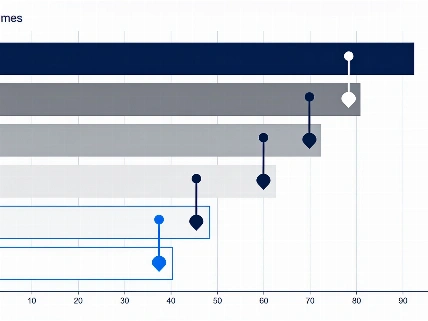
Interest in suppressing summaries has grown alongside changes in search behavior. A Pew Research Center study tracked 68,879 Google searches by 900 U.S. adults in March 2025; about 18% produced an AI summary. Users clicked a conventional result in 8% of visits with an AI Overview, compared with 15% of visits without one. Links inside summaries received clicks in about 1% of visits where an Overview appeared. The findings describe observed browsing behavior and do not establish that AI Overviews alone caused the difference, as The Verge reported.
Google’s position differs in scope: Search chief Liz Reid said on August 6, 2025, that total organic click volume from Google Search to websites had been relatively stable year over year, as TokenPost reported.
For a single search or a no-install alternative, use the udm14.com trick. A related Google Search guide covers another way to view results without AI summaries. PCWorld’s Try This newsletter offers more tips and recommendations.