For retailers, an agent that reaches a product page and then stalls at checkout can signal a lost sale. Cloudflare’s five-step guide asks retailers to find those breakdowns and address them through settings changes or content updates that can fit into a peak-season code freeze. Its storefront preparation guide treats agent readiness as more than making product pages crawlable: personal agents can shop on a customer’s behalf, from browsing through checkout.
The reason is practical: personal agents can browse a store and check out for a shopper, adding items to a cart along the way. When they compare stores, they look for consistent details. Price and stock matter; so do delivery dates, shipping costs and return policies. If an agent cannot reach a store or find those facts, Cloudflare says it may recommend another one.
Find the failure point
Cloudflare recommends starting with agent traffic. In Security Analytics, retailers can filter the Bot analysis view to a specific personal agent, then inspect its requested pages and errors. A visit to a product page followed by a cart failure is a useful signal: the agent may have reached the point where a shopper was ready to buy.
Business Insights offers a different measure for pages designed for people, including ad-supported pages. Its agent crawl-to-referral ratio compares agent visits with human visits; a 12:1 ratio means twelve agent visits for every human visit. That measure describes traffic, while the error view can help locate where an agent’s path breaks.
Cloudflare’s access policies are in the dashboard under Security settings, in AI Crawler and Agent access policies. The company recommends checking whether an agent is verified. Retailers should also consider whether customers use it and how it behaves on the site. Its directory lists verified personal agents, which Cloudflare recommends allowing; traffic that merely claims to be an agent remains subject to bot protections. The policies let retailers distinguish catalogue access for AI search indexing from product browsing, while restricting sensitive areas such as account settings.
Set access and safeguards
Retailers can allow agents to read a catalogue for AI search indexing or write custom rules that permit product browsing while restricting areas such as account settings. If an agent mainly visits ad-supported pages, “Block on pages with ads” offers a narrower option than blocking it across the site. Cloudflare also suggests allowing an unfamiliar agent first, then monitoring its activity.
An Allow policy does not bypass every security check. Personal agents fail Turnstile validation, so retailers must stop rendering Turnstile on pages where those agents should proceed, following Cloudflare’s instructions for conditional enforcement. Custom rules that block or challenge automated traffic can still affect allowed agents. That includes rules based on bot score; retailers can review them under Security rules and add exceptions.
Cloudflare has also described agent-level policies and account signals in its personal-agent controls update. The guide’s account-abuse section explains how Account Abuse Protection can show which personal agents act for a specific user. Retailers can assess whether that activity fits the account’s usual behavior, then act on one suspicious account without blocking the same agent for other customers.
Make product details readable
Access alone does not help if an agent cannot read the information it needs. Cloudflare advises putting each key product fact in visible text. Show the price alongside stock status. Include the delivery date and shipping cost, plus the return window. State whether a promo code applies. A shipping cutoff shown only in a banner image may be missed. The displayed price should also match the cart price, since a mismatch can stop a purchase. Cloudflare’s preparation workflow also calls for publishing machine-readable product facts that agents can use.
The same details should appear in Schema.org Product JSON-LD inside a script tag. That structured data supports the visible page text; it does not replace it. When price or stock changes, Cloudflare says the JSON-LD should change at the same time. Retailers can add shipping information through the shippingDetails property and return information through hasMerchantReturnPolicy.
Test the buying path
Retailers can run Agent Readiness diagnostics on a store hostname in the Cloudflare dashboard. The scan reads the site as an agent would and returns a readiness level, with checks grouped by effort. Suggested quick wins include a sitemap and AI crawler rules in robots.txt. Another is Markdown for Agents, a toggle that serves a clean text version of pages to agents requesting Markdown.
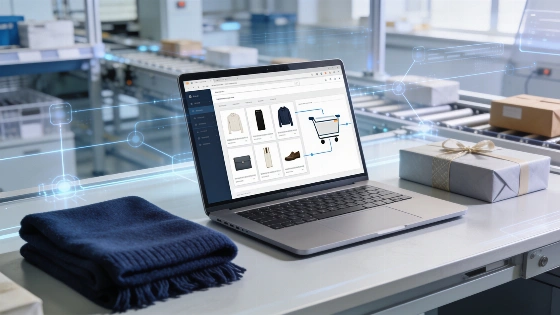
Analytics show where an agent stops; a test purchase can reveal why. Cloudflare suggests asking a personal agent to order two navy wool scarves as gifts. Have it apply a promo code and add gift wrap, then check delivery and return dates before paying. Retailers can verify whether it selects the requested color and quantity. They can also check that it finds gift wrap, applies the code and handles pop-ups without getting stuck. Cloudflare recommends testing the complete purchase journey, not just whether product pages load. Retailers can fix what is possible before peak season and record the remaining work for later.