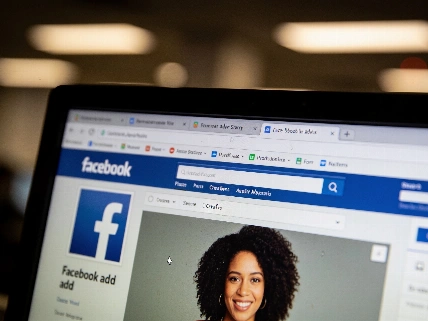

Unusual logins, changed profile details, or odd messages could mean your Facebook is compromised. Learn the top signs of a hack, how to check your account activity, and the steps to quickly secure your profile before more damage is done.
Social media platforms like Facebook are prime targets for hackers, given their massive user base and the personal information they hold. If you suspect your account has been compromised, there are several clear indicators to watch for-and immediate actions you can take to protect yourself and your contacts.
One of the first red flags is being unable to log in to your account. If your usual password no longer works, it could mean someone else has taken control. Facebook provides a dedicated help page for users locked out of their accounts, guiding you through recovery steps.
Another sign is the appearance of unfamiliar devices in your login activity. To check, go to Settings & Privacy, then Settings, followed by Password and Security, and finally Where you’re logged in. This section lists all devices currently accessing your account. If you spot any you don’t recognize, it’s likely your account has been breached.
Changes to your personal information-such as your profile photo, birth date, or location-are also strong indicators of a hack. If the email address linked to your account has been altered, this suggests a full account takeover. Hackers often update these details to lock you out and use your identity for scams or fraudulent activity.
Friends or family reaching out about strange messages or posts from your account is another common warning. Hackers may send unsolicited friend requests, post spam, or message your contacts with fake emergencies or suspicious links. These tactics are designed to trick your network into sharing information or sending money.
Sometimes, Facebook itself will alert you to suspicious activity. If you’ve enabled login alerts, you might receive a notification or email about an unrecognized login attempt. Always verify these alerts by checking your account’s security settings.
Not all suspicious activity is due to a direct hack. Facebook cloning is when scammers create a new account using your public photos and information, then send friend requests to your contacts. If your friends report receiving a new request from you, but you didn’t send it, someone may be impersonating you. Report cloned accounts directly to Facebook.
If you confirm your account has been hacked, act quickly. Remove unauthorized devices by clicking the three dots next to each device in the Where you’re logged in section and selecting Log Out. Change your password immediately-if you’re locked out, use the Forgot Password? option. Notify your contacts to be cautious of any suspicious messages or requests.
To prevent future hacks, keep your email and phone number up to date in your Facebook settings. Use a strong, unique password and enable two-factor authentication for an extra layer of security. Adjust your privacy settings to limit who can see your information, and be wary of unsolicited links or friend requests. Consider using a virtual private network (VPN) to further protect your login credentials and personal data.
Staying vigilant for these warning signs and taking proactive security measures can help you safeguard your Facebook account and digital identity.
According to Meta’s first quarter 2026 earnings report, the company’s family of apps-including Facebook, Instagram, Messenger, and WhatsApp-reached an average of 3.56 billion daily active users in March 2026. This vast user base makes Facebook a frequent target for cybercriminals, underscoring the importance of robust account security for all users.